NTA CUET UG 2026 Exam City Intimation Slip Released: Check Exam City Now
Key Information Overview
| Particulars | Details |
|---|---|
| Exam Name | CUET (UG) 2026 |
| Conducting Body | National Testing Agency |
| City Intimation | Released |
| Exam Dates | Check Schedule Below |
| Official Website | cuet.nta.nic.in/ |
The National Testing Agency (NTA) has officially released the Advance Intimation of Examination City for the Common University Entrance Test [CUET (UG)] 2026 today, April 29, 2026. Candidates who have registered for the exam can now check and download their Advance City Intimation Slip by logging into the official portal using their credentials.
The CUET (UG) 2026 examination is scheduled to be conducted at multiple locations across India and abroad from 11 May to 31 May 2026 in Computer Based Test (CBT) mode.
Key Instructions for Candidates:
- Not an Admit Card: Please note that this slip is ONLY an advance intimation of the exam city allotment to facilitate travel arrangements. It is NOT the final Admit Card. The official CUET UG 2026 Admit Card will be issued separately at a later date.
- No Changes Allowed: Candidates must appear for the exam on their allotted date and shift; no requests for changing the date or shift will be entertained.
- Photo Mismatch Rule: Candidates whose live photographs did not match the photo on their Aadhaar during registration (or those who used alternate ID proofs) MUST carry an original certificate duly signed/attested by a Principal, Head Master, or Class-I Gazetted Officer for physical verification at the exam center.
- Helpdesk: If you face any issues downloading your city slip, you can contact the NTA helpline at 011-40759000 or email [email protected].
How to Download the CUET UG 2026 City Intimation Slip
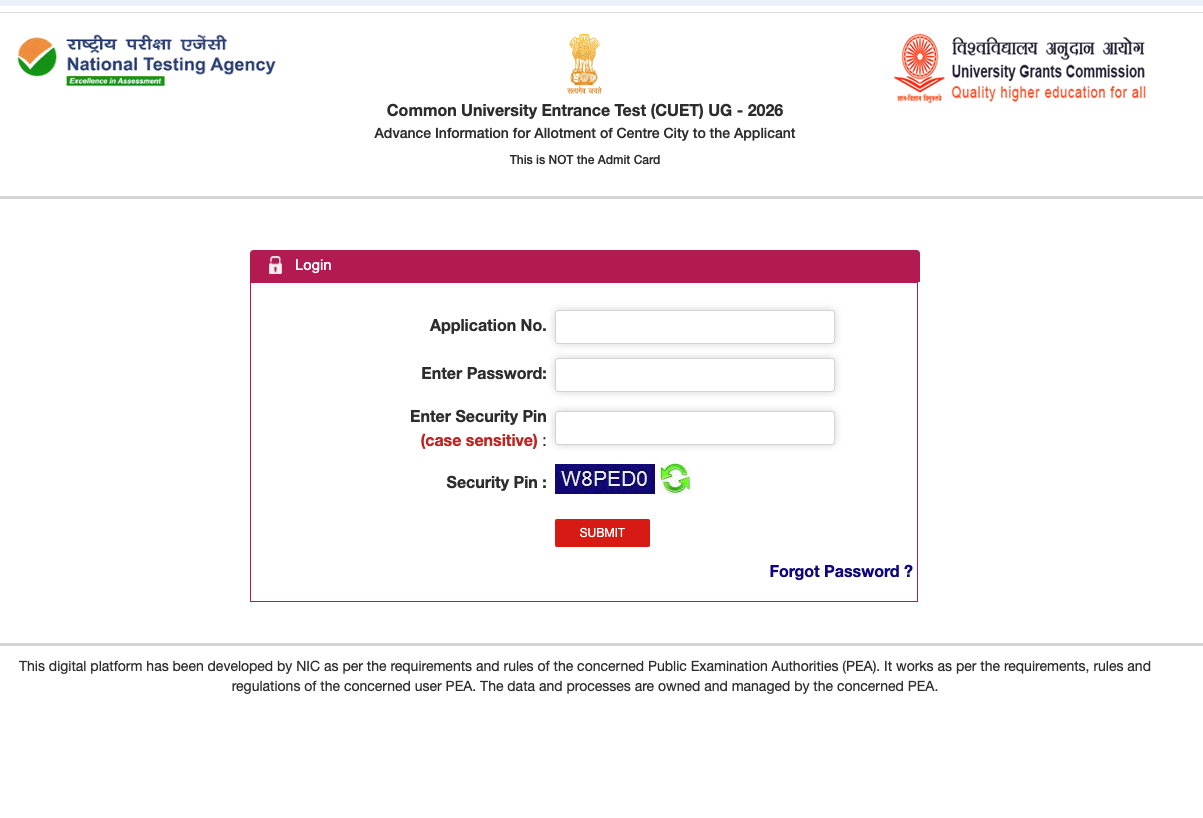
Follow these simple steps to download your advance exam city slip:
- Visit the Direct Link: Click on the direct download link provided in the action section below, or visit the official CUET (UG) website and click on "Advance City Intimation for CUET (UG) – 2026" under the Candidate Activity section.
- Enter Credentials: On the login page, enter your Application Number and Password.
- Security Pin: Enter the case-sensitive Security Pin exactly as it appears on the screen.
- Submit: Click the red "SUBMIT" button.
- Download & Save: Your allotted exam city and schedule will appear on the screen. Save or print this slip for your reference and travel planning.
Frequently Asked Questions
No, this is not the Admit Card. It is only an advance notification of the city where your exam center will be located. The admit card will be released later
The NTA will conduct the CUET (UG) 2026 exams from 11 May to 31 May 2026 in CBT mode.
You will need your Application Number and Password to log in and download the slip.